 DJIVE
DJIVEDJIVE / Clubs
For a club or a bar
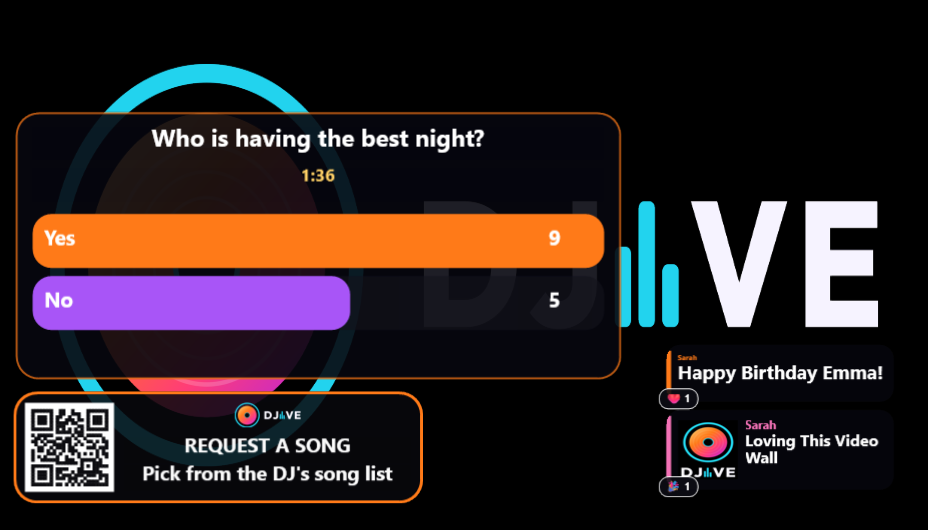
You don’t have time for a second laptop. DJIVE sits on the VirtualDJ output you already send to the screens. People on the venue Wi-Fi scan, shout, request from your library, and tip. You approve between tracks.
From the booth
The lists are rows, with a colour for shoutouts, requests, photos, and tips. Mark Played or Refuse. Confirm a tip after you’ve seen it in PayPal or the bank app. Block a phone if someone is being a pain. Show next, skip, and clear chat sit at the bottom of Settings.
Pick the Club theme, or Lounge if the room is darker and slower. Enough reacts in the time you set, which starts at 8 in 60 seconds, puts fire on that chat card. A venue notice from the manager jumps the queue, with flames.
Requests you can play
People search the library on this PC and any VirtualDJ drive you’ve plugged in. Repeat asks stack. You’re not taking requests for tracks that aren’t there.
Basic is free, with 25 shoutouts and 25 requests a week, which is enough to try a Friday. Pro is unlimited, with photos, tips, your own look on the phones, pub games, and word animations you can call on the mic: birthday, shots, dance. Pay £10 for one month, subscribe at £10 a month until you cancel, or pay £110 for a year. The year saves a month and does not renew. A normal Pro key is on one computer at a time. Unlink that computer from Account to move it. A company with a few venues uses Business Whitelist: £24 a month for 3 venues at £8 each. Each extra venue is £10 a month.
DJ video wall · Interactive video wall · Wedding DJ wall · FAQ