 DJIVE
DJIVEDJIVE / Video wall DJ
Run it from VirtualDJ
If you mix in VirtualDJ and the room has a TV, an LED wall, or a projector, you don’t need a second computer for the graphics. DJIVE is a video effect. Turn it on for the output that feeds the screens. You moderate from the booth. People do the rest from their phones.
A night
- On your output Chat, QR, and the big card. Drag them. VirtualDJ remembers where you put them. Pick Club, Wedding, Event, Lounge, Garden, or Neon.
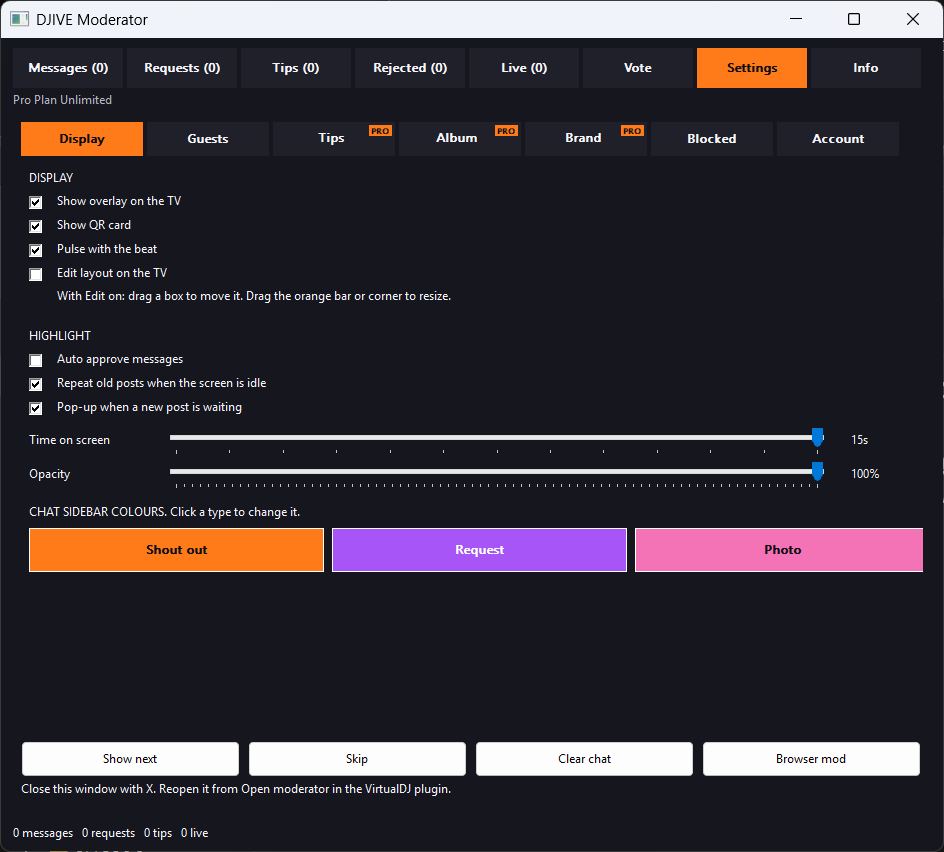
- The booth It opens inside VirtualDJ, or you can use the booth page on a tablet. Rows are coloured for shoutouts, requests, photos, tips, and venue notices.
- On the mic Tell them to scan the wall. Start a vote. On Pro, birthday, dance, and shots each play a backdrop. Enough reacts and the card catches fire.
- Requests you can play They search your library, including a drive you’ve plugged in. Repeats stack. Mark Played or Refuse without clearing the list.
Install, once
Open VirtualDJ, go to Options, and click the small cog at the bottom right. That opens the folder this install uses. Open Plugins64, then VideoEffect, and paste DJIVE Video Wall.dll there. Fully quit VirtualDJ, then open it again. Enable it on the video slot. First time: Install Node if this PC needs it, then tap Update. Later nights: Info, Update in the booth, then fully quit only if the DLL itself was replaced.
Basic is free, with 25 shoutouts and 25 requests a week. That’s enough to try a Friday. Pro is £10 for one month, or £10 a month until you cancel. A year is £110, which saves a month and does not renew. That covers unlimited posts, photos, tips, your own look on the phones, pub games, and word animations. A normal Pro key is on one computer at a time. Unlink that computer from Account to move it. A company with a few venues uses Business Whitelist: £24 a month for 3 venues at £8 each. Each extra venue is £10 a month.
Not Ask the DJ, and not a second program
Ask the DJ is a web inbox. You can throw a browser on a wall with OBS, but that’s another thing to keep running. DJIVE is on the same PC you mix on. The join address stays off the screen. On the normal setup, people use the venue Wi-Fi. Online uses a DJive.co.uk link when that Wi-Fi blocks your computer.
DJ video wall · Interactive video wall · VirtualDJ plugin · FAQ